















How To Make A WordPress Website With ChatGPT 6.2
Download The ChatGPT Webdesign Skill
Download The ChatGPT Webdesign Skill
The 11 prompts I used to compare Fable 5.2 and ChatGPT 6.2 Astra: a website, a 2D and 3D game, a 3D world, a physics sandbox, an SVG…
Make a WordPress website with AI: Claude designs it with my free skill, and Novamira puts it on your own WordPress website with native…
Four live demos with Fable 5.2: a 3D game, an app from a hand-drawn sketch, a 3D-printable phone stand and a YouTube counter. All prompts…
Learn how to translate your WordPress website with AI using TranslateWP. Install the plugin, add languages, place a language switcher, edit…
Build a beautiful online store with Claude and my free eCommerce Website Builder skill, plus an Omnisend signup form that turns visitors…
See how I use Claude (or ChatGPT) with WordPress to implement client feedback from a screenshot: schedule updates, text changes, clickable…
Connect Omnisend to ChatGPT and Claude, analyze your best campaigns and previous Black Friday emails, and let AI create a campaign plan and…
The best ways to make a website in 2027 compared, including the exact AI script I use to build a beautiful photography website step by step.
Complete Elementor MCP tutorial: combine Claude AI, Elementor Pro and Angie to build a WordPress website with native Elementor elements…
Complete Paperclip AI tutorial: install Paperclip on a VPS, connect Claude, create an AI company, hire AI agents, delegate tasks to an AI…
Build a website with ChatGPT 6 Astra and convert it into a custom WordPress theme with ACF, from the first prompt to a live website with…
Ten real examples of how I use ChatGPT 6 Astra to save time and money: video editing shortcuts, recording tools, a productivity tracker, a…
How to make a website in 2026: build it with HTML, CSS and JavaScript using AI, then convert it into an editable WordPress website.
Full tutorial: build a professional website with Claude Chat, Claude Design, Claude Code and Fable 5.1, publish it on your own domain…
Learn how to build a complete website with Claude, customize it using simple prompts, connect your domain, publish it online, and optimize…
Omnisend tutorial for beginners: set up email marketing for your store, build signup forms, create automations and send your first campaign.
Submit your own plugin to the WordPress plugin repository: prepare the code with AI, pass the review checklist and get your plugin…
Create your own WordPress plugin for free using Cursor and AI, from idea to a working plugin installed on your website. No coding…
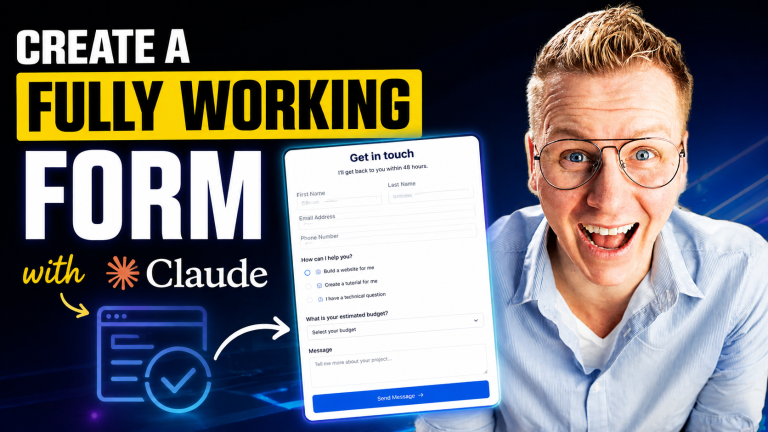
Create a working contact form with Claude that matches your website’s design, sends emails and is spam protected. Copy my exact prompt.
Make a website with Claude Design and Divi 5: design it with AI, then use Novamira to build it on your WordPress website. Prompt included.
Create a website with Claude, WordPress and Elementor: let AI design the site, then transfer it to WordPress with the free Blocksy theme…
Omnisend MCP tutorial: connect Omnisend to Claude or ChatGPT to audit your email marketing, find your best segments and plan campaigns with…
Claude Design tutorial: build a complete web design agency website with Claude Design, step by step, with the exact prompt I use.
Combine Claude and the Higgsfield MCP to design a cinematic, scroll-animated website with AI images and video. Motion skill and prompt…
Build a complete website with Claude Fable 5, from the first prompt to a polished, responsive design you can put online.
Odysseus tutorial: install Odysseus, connect it to Ollama on the same Docker network and run your own private AI models.
Learn how to setup and work with the Hermes Agent
How to make a website with Claude: download my free Advanced Website skill and let Claude design a professional website for you, step by…
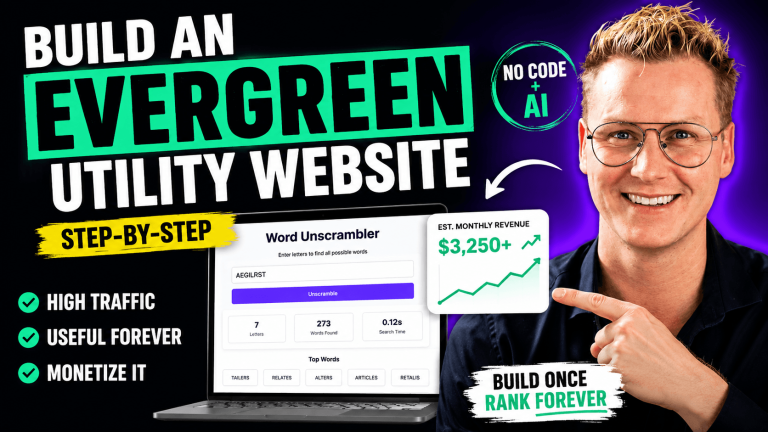
Create an evergreen utility website with AI: a simple tool site that keeps attracting visitors and earning money for years with little…
Make a website using ChatGPT: turn ChatGPT into your own AI web design agency with my prompt, from branding and UX to a finished website.
Scan your WordPress website on malware and get rid of it.
Speed up your WordPress website using NitroPack: install it, choose the right settings and compare the speed scores before and after.
Shopify tutorial for beginners: set up your store, add products, style your product pages and start selling online.
Connect OpenClaw to WordPress and let your AI agent create pages, write posts and manage your website for you.
In this OpenClaw tutorial we show you how to create your own AI agent.
In this WooCommerce tutorial, I will guide you in creating your own webshop using WordPress and WooCommerce. This tutorial is for people…
SureRank tutorial: set up this lightweight WordPress SEO plugin, optimize titles and descriptions, and fix SEO issues step by step.
The best sizes for your websites.
Learn how to create a WordPress website using the Divi theme.
In this affiliate marketing tutorial I show you what I would do If had to start over from zero.
Making a website has never been easier! In this video I show you step by step how it is done using free tools like WordPress, Elementor…
Learn how to make WordPress backups for free, so your website is safe.
Make an eCommerce website within 1 hour using AI: products, design and checkout, built fast with AI tools and WordPress.
Increase your eCommerce sales with 3D models: let customers rotate and view your products in 3D and AR on your product pages.
Want to start your own blog, news website, or niche content platform? You’re in the right place! In this complete tutorial, I’ll show you…
Complete Lovable tutorial: build a website or web app with AI using Lovable, from your first prompt to publishing it online.
What is a CDN? Hostinger CDN explained: how a content delivery network makes your website faster worldwide, and how to switch it on.
Affiliate marketing with YouTube: create videos that rank, place your affiliate links the right way, and earn commissions from your channel.
Hostinger Horizons review: build websites and web apps with AI in minutes, no code needed. What it can do, pricing, and if it is free to…
SureCart tutorial: build an eCommerce website with WordPress and SureCart, with products, a fast checkout and payments set up step by step.
Complete Yoast SEO tutorial for beginners: set up Yoast, optimize titles and descriptions, and improve your SEO and readability scores.
Create a responsive website screen mockup that shows your website on a laptop, tablet and phone, for your portfolio or clients.
Create a Social Media Website Like Facebook Using WordPress And BoddyBoss.
Hostinger tutorial: buy hosting, get a free domain, install WordPress and set up your website and email. Use code FERDY for extra discount.
Discover how to build an affiliate marketing website that educates and guides people on tools they’re interested in, helping them make…
Learn how to seamlessly integrate email marketing into your website or webshop and boost your sales with Omnisend, a powerful and free…
How to make a WordPress website using AI: use AI tools to plan, write and design your site, then build it in WordPress step by step.
Create a course website with LearnDash: build online courses with lessons, quizzes and certificates, and sell them on your WordPress…
Learn how to create a course, create a website for your course and start selling your course.
Learn how to use the Blocksy WordPress theme in this complete Blocksy Theme tutorial. Customize headers, footers, colors, WooCommerce, and…
Transfer your website, emails and domain to a new web hosting provider step by step, without downtime or losing data.
Elementor Pro header tutorial: design a custom header with logo, menu and button, and make it sticky and mobile friendly.
In this Elementor Pro Tutorial you will learn how to create a professional website using WordPress and Elementor Pro.
Leer hoe je een professionele WordPress website maakt in 2026
Complete WordPress course for beginners: everything you need to build, manage and grow your own website, explained step by step.
Elementor tutorial for beginners: build beautiful WordPress pages with the free Elementor page builder, step by step.
Transfer a local WordPress website to a live website on your hosting, including all pages, images and settings.
Learn step by step how to become succesfull with Affiliate Marketing. In this 7+ hour tutorial I will share my best experiences with you.
Divi theme tutorial: complete WordPress website setup with Divi, from installation and theme settings to every page of your site.
Create a logo for free within 5 minutes, without design experience, and download it ready for your website.
Learn what Affiliate Marketing is and how you can become successful with it!
Learn step by step from scratch how to start and become successful with affiliate marketing.
In this ConvertKit tutorial, I show you step by step how to start and grow your email list.
With Code Snippets you can say goodbye to a lot of plugins. It will make your website faster and easier to configure. In this Code Snippets…
Discover not only the art of crafting blog posts but also delve into market research, Google Analytics, and Google Search Console.
Elementor Cloud Website tutorial: hosting, domain and Elementor Pro in one package, and how to build your website on it.
Master the art of crafting a WordPress website using the powerful and lightweight Blocksy Pro theme, loaded with fantastic features.
Learn how to make a website with the new feature of WordPress: Full Site Editing.
Extra theme tutorial: build a magazine or blog website with the Extra theme by Elegant Themes, step by step.
Learn how to change themes on your excisting WordPress website without breaking your site.
Learn how to optimize your website for the search results using RankMath SEO
This is a comprehensive tutorial on how to set up and optimize Google AdSense for a website and start to make money
Install WordPress locally with Local by Flywheel and build your website on your own computer for free.
The top 12 free WordPress plugins every website needs, for SEO, speed, security, backups, forms and more.
Build a website that helps people, and you can make money by offering real value, not shortcuts, hype, or fake “get rich quick” promises.
This video is for you when you want to create a website quickly, rather than learning step by step how every detail within your website can…
CartFlows tutorial: create a high-converting checkout and add an order bump to increase the average order value in your WooCommerce store.
Create a multivendor marketplace website with WordPress and WooCommerce where other sellers can sell their own products.
Complete Astra tutorials for the free, Pro and Agency versions: starter templates, header builder, layouts and all settings explained.
Check your website speed from inside WordPress, find out what slows your site down and fix it.
Crocoblock tutorials: build dynamic WordPress websites with JetEngine and the Crocoblock plugins, from custom post types to listings.
Elementor Pro eCommerce tutorial: design WooCommerce product pages, shop pages and the cart with Elementor Pro.
Divi vs Elementor Pro: an honest comparison of features, speed, pricing and ease of use, so you can pick the right page builder.
Create sticky headers in Elementor Pro that stay visible while visitors scroll, including shrinking and transparent header effects.
Create a course website with LifterLMS: build online courses with lessons, quizzes and payments, and sell them from your WordPress website.
Speed up your WordPress website with SG Optimizer on SiteGround: caching, image optimization and the settings that make your site faster.
Make a professional logo for free in a few minutes, without design skills, and use it on your website and social media.
The 7 best lifetime deals for WordPress users: plugins and tools you pay for once and use forever.
How to make a WordPress website in 2020: domain, hosting, theme and pages. A complete step by step tutorial for beginners.
WordPress tutorial for beginners with the Enfold theme: install WordPress, use the Enfold builder and create every page of your website.
Kadence theme tutorial: build a fast, professional WordPress website with the free Kadence theme and its header and footer builder.
Create a WordPress website the new way with Astra and Elementor: hosting, theme, logo, menu and pages, step by step for beginners.
Create a Stripe account and connect it to WooCommerce, so customers can pay by card and other methods in your online store.
The best free social sharing plugin for WordPress: add share buttons to your posts and pages and get more traffic from social media.
Padding and margin explained: what the difference is and how to use them to create clean, well-spaced website layouts.
Remove the background of any image in one click for free, perfect for product photos and website graphics.
Code Snippets tutorial: add custom PHP, CSS and JavaScript to WordPress safely without editing theme files, with a real WooCommerce example.
Install WordPress for free on your Mac or PC and build your website on your own computer before you pay for hosting.
Switch from Yoast SEO to Rank Math without losing your SEO settings: migrate titles, descriptions and redirects step by step.
Envato Elements review: unlimited downloads of 1.8 million assets like templates, photos, fonts and graphics, and how to use them in your…
Get 1,840 Elementor templates for free and import them into your WordPress website to build pages much faster.
Make a website in 10 minutes with WordPress: the fastest way to get a professional looking site online, step by step.
SiteGround tutorial: set up your hosting account, install WordPress, create email addresses and manage your website.
How to get more clients for your web design business: practical ways to find, win and keep customers.
Please do not use images like this on your website: the image mistakes that make a website look unprofessional, and what to use instead.
We reached 100,000 subscribers on YouTube! A thank you to everyone who watches, and a look back at how the channel grew.
Use the Divider element to separate sections and content on your website, with custom styles, spacing and icons.
Create a background slider in Elementor: rotating background images that make your hero sections more dynamic.
Create a social media website like Facebook with WordPress: member profiles, activity feeds, groups and messaging.
Export and import blog posts in WordPress: move your articles, images and categories from one website to another with the built-in tools.
Create a news or blog website with the Newspaper theme: import a demo, set up categories and publish your first articles.
Download all images from your WordPress website at once, for a backup or a move to another website. Quick and free.
Create a personal Facebook account step by step and set up your profile and privacy settings, needed before you can make a business page.
Google Site Kit tutorial: connect Search Console, Analytics and PageSpeed Insights to WordPress and see your stats in one dashboard.
Create a Facebook business page for your company step by step: profile picture, cover photo, information and your first post.
Monarch tutorial: add social sharing buttons and follow buttons to your WordPress website to get more shares and followers.
Learn how to build a contact form on your WordPress website using the free plugin Contact Form 7
Contact Form 7 tutorial: create a contact form, add fields, set up email notifications and place the form on your WordPress website.
WPML tutorial: make your WordPress website multilingual, translate pages and menus, and add a language switcher.
In this video I show you how you can get more optins on your WordPress website using Bloom. An amazing plugin that comes for free with the…
In this video I show you how to let people subscribe to your website so they will receive a notification instantly when you publish a new…
In this video I show you how you can add a reading progress bar in your WordPress website using the free reading progress bar plugin.
Mailchimp has changed a lot over the months. That is why I created a new tutorial. Now you can follow every step of the tutorial again
WooCommerce eCommerce tutorial: build an online store in WordPress with products, payments, shipping and a checkout that converts.
Phlox Pro theme tutorial: install Phlox Pro, import a demo and turn it into your own WordPress website with Elementor.
Ultimate Addons for Elementor: the extra widgets and features it adds, and how to use them to build better pages.
Astra or OceanWP: which WordPress theme is best? A side by side comparison of speed, features, pricing and ease of use.
Use filter effects and blend modes in Elementor to give images and sections a unique, creative look without Photoshop.
Optimize your Divi website for all devices: adjust fonts, spacing and layouts for mobile and tablet so your site looks perfect everywhere.
Get more shares and followers with the Bloom plugin: add opt-in forms and popups to WordPress that grow your email list.
Protect the content of your WordPress website: stop people from copying your text and images with a simple free plugin.
Oxygen 2.0 page builder review: what it can do, how it compares to other builders, and whether it is the right choice for your website.
Change the wp-admin login URL of your WordPress website to block bots and brute force attacks. A quick, free security improvement.
Make your WordPress website multilingual with Weglot: translate all your content automatically and add a language switcher in minutes.
If I could choose only one theme to use for all my clients it would definitely be the Enfold Theme. The Enfold Theme is a clean, pretty and…
Make a website using WordPress, Astra and Elementor: get a free domain and hosting, build your pages and add a working contact form.
Create an email account at SiteGround and set it up on your phone and computer, so you can send and receive email with your own domain.
IMAP email explained: what IMAP is, how it differs from POP3, and how to set up your email so it stays in sync on all your devices.
Gravity Forms tutorial: create contact forms, order forms and surveys in WordPress, with notifications, confirmations and conditional logic.
Sydney theme tutorial: build a professional business website with the free Sydney WordPress theme, from installation to finished pages.
Add a wishlist to your WooCommerce store so customers can save products for later. Setup, settings and styling, step by step.
Monstroid2 theme tutorial: install the theme, import a demo and customize it into your own WordPress website.
OptimizePress tutorial: build landing pages, sales pages and opt-in funnels in WordPress that turn visitors into leads and customers.
Build a one page website in WordPress: sections, smooth scrolling menu links and a clean layout that works on every device.
Show your Google Analytics stats inside WordPress: connect the Google Analytics dashboard plugin and see your visitors without leaving your…
Add a social media feed page to your WordPress website: show your Instagram, Facebook or Twitter posts automatically with a free plugin.
SEO tutorial for beginners: keywords, titles, descriptions, content and links. Learn how to get your WordPress website found in Google.
Avada theme tutorial: install Avada, import a demo and build a complete WordPress website with the Avada builder, step by step.
Customize your WordPress login page: add your own logo, colors and background so the login screen matches your brand.
Mailchimp tutorial: create your account, build a signup form for your WordPress website, and design and send your first email newsletter.
No tutorial matches that search. Try another word or pick a different topic.